Today
Every language is produced by an interpreter.
Sasa is a distribution infrastructure: it carries interpreters' voices to participants, with several channels in the same room. Without an interpreter, there is no translated channel.

LOBAKA Sasa · Multilingual eventsAvailable as a pilot
LOBAKA Sasa streams live human interpretation directly to participants' phones. The audience scans a QR code, picks a language and listens. No interpretation receivers to distribute.
Pilot phase: free, supported sessions; organizer accounts opened on request.
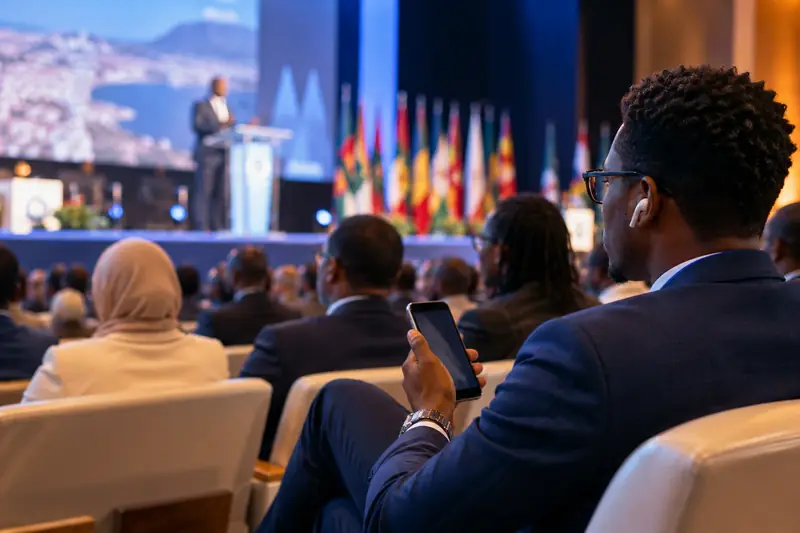
A congress in French, English and Arabic. The organiser projects the QR code, each interpreter speaks from their phone, each participant picks a language and listens on their earphones.
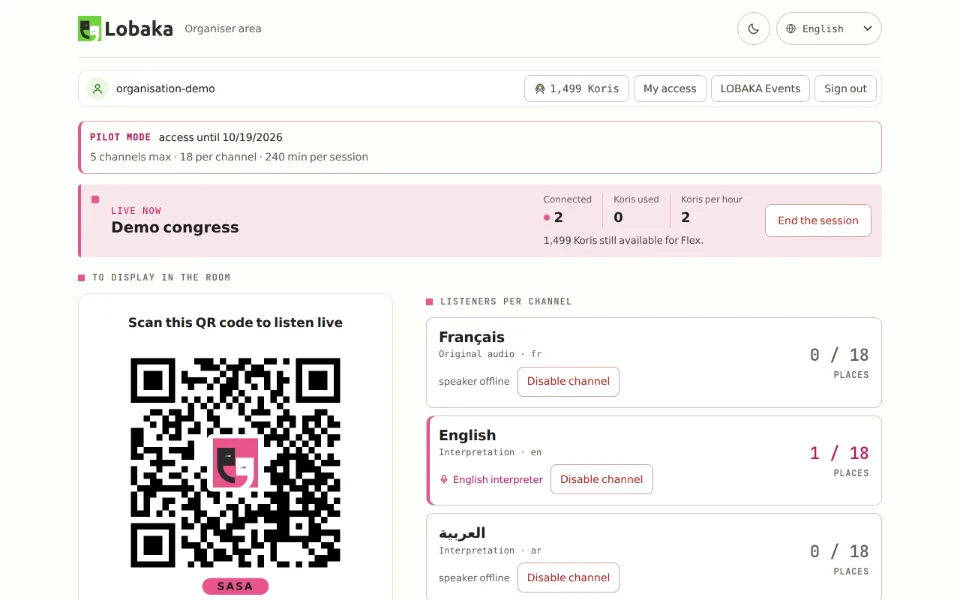
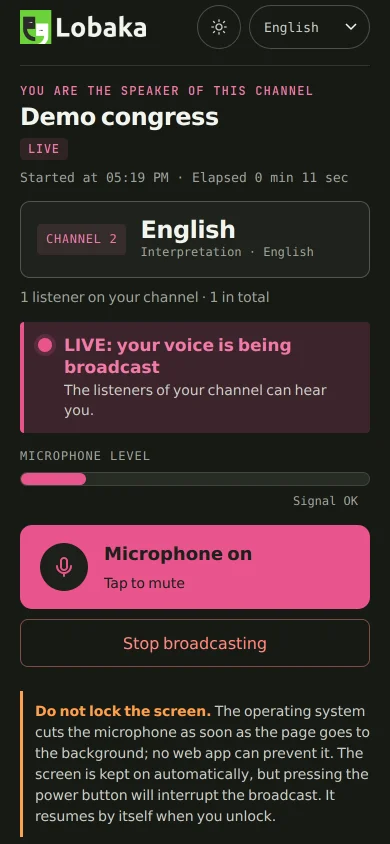
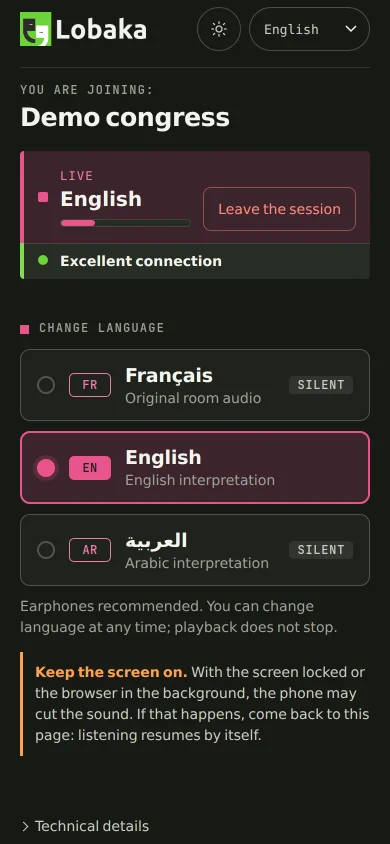
Several languages in the same room, with no receivers to hand out or collect.
The sermon or the speech interpreted live for those who don't speak the language from the stage.
Each delegation follows its interpreter on its own phones, at the table or in the room.
Each interpreter listens to the speaker and speaks in their language, on their own channel. Sasa streams every channel live to the participants who picked it.
Sasa does not use machine translation. We'd rather say so right away.
Today
Sasa is a distribution infrastructure: it carries interpreters' voices to participants, with several channels in the same room. Without an interpreter, there is no translated channel.
Later
LOBAKA is developing automated voice capabilities. They are not part of today's offering and no date has been announced. When they arrive, they will come on top of interpreters, on the same infrastructure, and will be labeled as such.
The organizer creates and pays for the session. Interpreters speak. Participants listen, for free.
The organization hosting the event.
On site or in another room.
Everyone in the audience.
Create a session
Event name, venue, date.
Add your channels
One channel per language, plus the room language.
Invite your interpreters
Each one gets a personal link for their channel.
Show the QR code
On a screen, a poster or on badges.
The audience picks a language
They scan, pick, listen.
An interpreter can listen to another interpreter instead of the speaker. If nobody translates directly from Lingala into English, the English interpreter listens to the French channel. Sasa checks every chain: it rejects loops and limits the number of relays, because each relay adds the delay of one interpretation.
New: tested end to end in the lab (September 2026), not yet in a public pilot. The organizer approves every route; Sasa never changes a chain on its own.
Only what exists in the product. Recent additions are flagged.
A continuous stream, not chunked playback.
Up to 5 channels per session today: languages, room sound, commentary, audio description.
The interpreter hears the speaker in their headphones, even from another room, and speaks on their channel.
An interpreter can listen to another interpreter. Loops rejected, relays limited.
Participants pick a language and switch with one tap, without a gap.
One code per session, to project or print.
Before the event, the audience says which languages they want. You plan your interpreters accordingly.
Who is speaking, on which channel, how many are listening, which route feeds each language.
A phone facing the speaker shows the stage to interpreters, never to the audience.
Participants, channels listened to, language switches, anonymous feedback.
An organization that trusts Sasa with its room should know exactly what it gets.
HTTPS and encrypted WebRTC. The session code is random; an interpreter's link can be revoked at any time.
Participants give no name, email or phone number. A nickname is optional.
Today: 5 channels per session and 155 simultaneous participants, with 30 seats per channel by default, adjustable by the organizer. Beyond that, access is refused with a clear message.
It ends on its own when time is up; the organizer extends it in one step, up to 8 hours.
If an interpreter's source drops, the organizer is alerted and sees which languages are affected. Sasa suggests an alternative; it never applies it on its own.
Mouth-to-ear delay in a real room. The measurement protocol exists; no figure is announced until it has run with real phones.
During the pilot phase, sessions are free. After that, Sasa is used in two ways, shared by all LOBAKA products.
Sasa is part of an event planned ahead, with its Koris reserved.
A session whenever you need one, used according to actual usage.
Need an interpreter or equipment?
On LOBAKA Zando, find a verified interpreter or audio describer, with no commission. Compatible microphones and kits will follow.
Replayed with every version. A conference in three languages: the room set up, interpreters in place, an audience that joins by QR code, switches language and reopens the page. Latest campaign, 12 October 2026: Passed, 12 of 12 steps.
How we testA demo takes thirty minutes, with your own phones. A pilot session is prepared together with you.